

RUB Deposits and Withdrawals
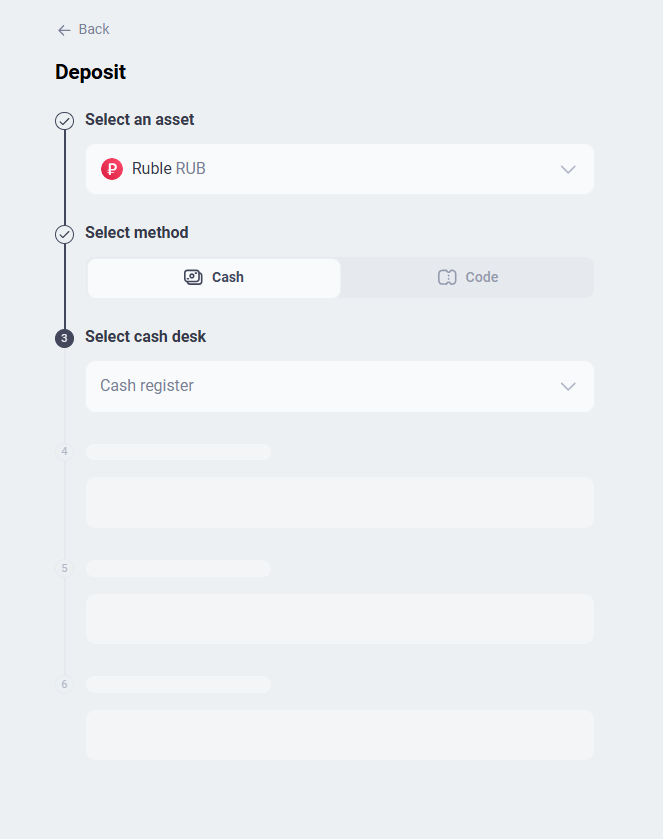
Deposit or withdraw rubles in cash through a cash desk, or use a RUB code from another ABCEX user.
Methods for depositing and withdrawing rubles
You can deposit or withdraw rubles in two ways:
- Cash desk — Deposit or withdraw cash at an ABCEX or partner office. See “Cash and ABCEX Offices.”
- RUB code — Transfer rubles between ABCEX users.
Asset transactions are available only after KYC verification. See “Verification (KYC) on ABCEX.”
Ruble code: what it is and how it works
A RUB code is a unique code used to transfer rubles between accounts on the exchange.
- The sender creates a code indicating the amount.
- The money is debited from the sender's account and temporarily held.
- The sender passes the code to the recipient.
- The recipient enters the code and receives money to a ruble account.
Copy and save the code immediately - after closing the window it will be impossible to view it again. Give the code only to the person for whom the money is intended: whoever activates it first will receive the amount.
How to Create a RUB Code for Withdrawal
The code is created during the withdrawal process, so your RUB account must already contain the required amount.
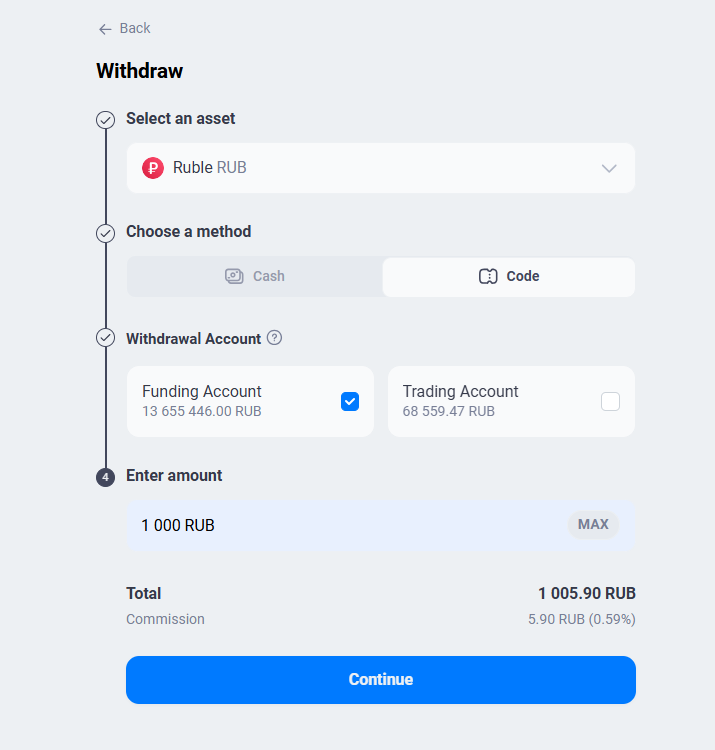
- Open the “Assets” section → the “Deposits” tab and click “Withdraw”. The same can be done by clicking on the fiat account and selecting “Withdraw” in the window that opens.
- In the “Asset” field, select “Russian ruble”.
- In the withdrawal method, select “Code”.
- Select the withdrawal account — “Funding Account” or “Trading Account”.
- Enter the amount. The “Total” with the commission is shown below — click “Continue”.
- Copy the generated code, save it, and confirm that you have saved it.
- Done - the money has been debited from the account and is waiting for the code to be activated.
How to Deposit with a RUB Code
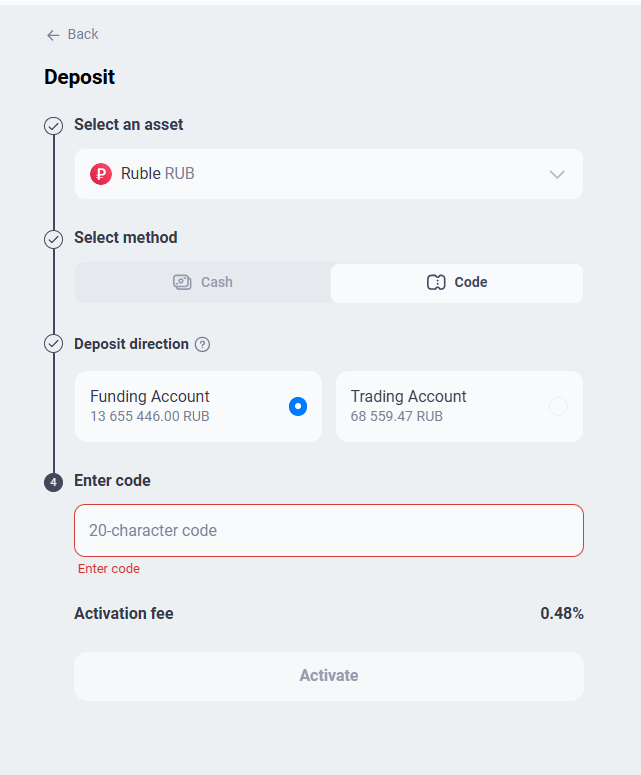
- Open the “Assets” section → the “Deposits” tab and click “Top up”.
- In the “Asset” field, select “Russian ruble”, in the method - “Code”.
- Select the deposit direction — “Funding Account” or “Trading Account”.
- Enter the 20-character code that was given to you. Note the activation fee, then click “Activate”.
- Done - the money is credited to the selected account.
Frequently asked questions
The code is shown only once, when created. If you haven’t saved it, contact support @ABCEX_TechSupport. The money does not disappear: it is held in your account until the code is activated.
Contact @ABCEX_TechSupport. Until the code is activated, the money remains held in your account.