

Cryptocurrency Deposits and Withdrawals
How to deposit cryptocurrency, withdraw it to a wallet, transfer USDT using a code, and avoid losing funds by selecting the wrong address or network.
Deposits
To deposit on ABCEX, send cryptocurrency through the blockchain from your wallet or another exchange to the address generated for your account.
- Select a coin — BTC, ETH, USDT, and others
- Select a network — TRC-20, ERC-20, and others
- Copy the address — Or scan the QR code
- Send the transfer — Wait for network confirmations
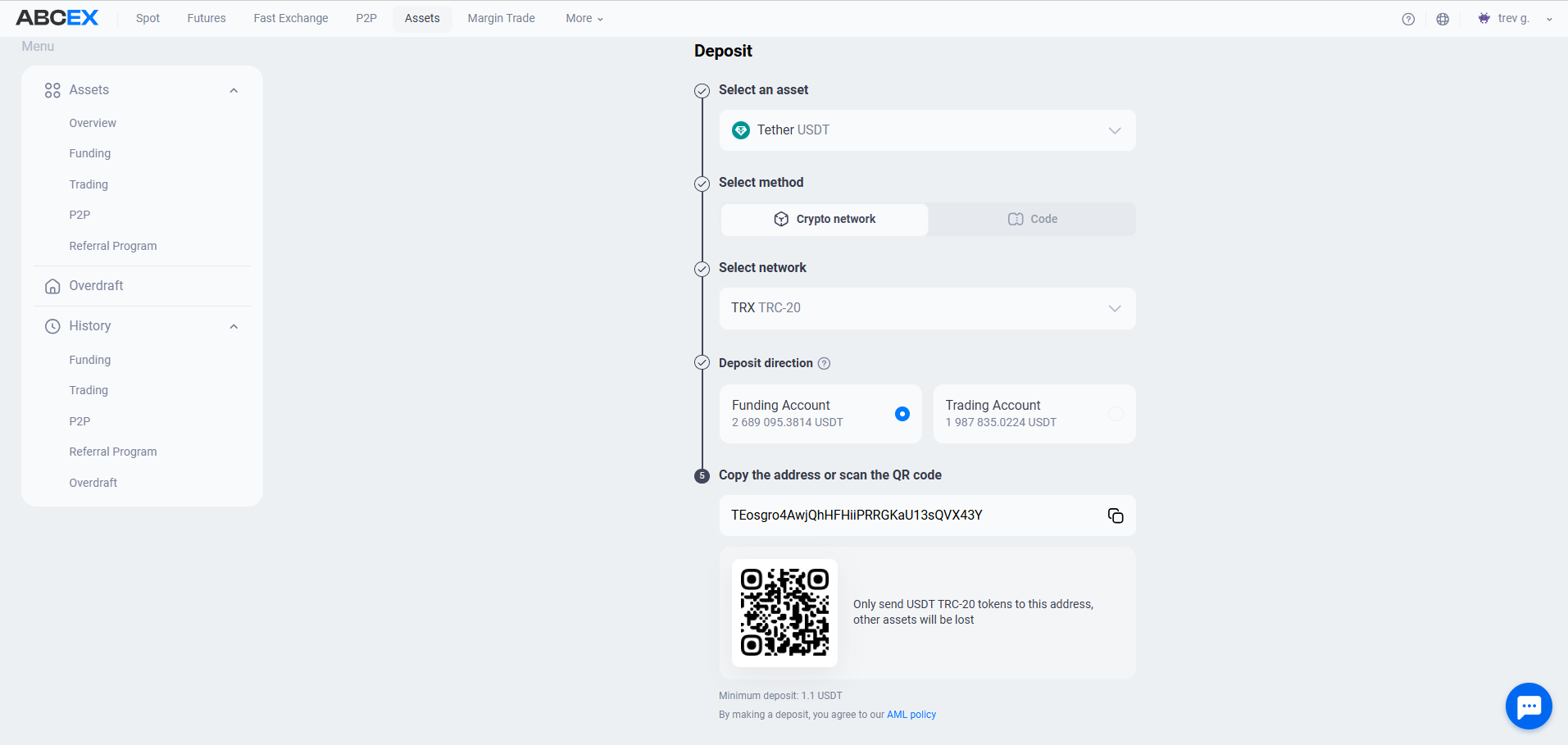
Network selection: the most important
The same token, such as USDT, can exist on multiple blockchains. The sending and receiving networks must match; choosing the wrong network can result in permanent loss of funds.
- USDT TRC-20 (Tron) (Low cost) — Low network fee (~1 USDT) and fast processing. The most popular option for USDT transfers.
- USDT ERC-20 (Ethereum) (High cost) — A high gas fee. Use it only when no other option is available.
- BNB/Tokens BEP-20 (BSC) (Cheap) - Low fees, widely supported. For BNB and many tokens.
- BTC (Bitcoin) (30–60 min) — Uses the Bitcoin network. Send BTC only to BTC addresses.
Always check that the sending coin and network are the same as the receiving coin and network. If you send USDT ERC-20 to a TRC-20 address, the funds will be lost. The exchange will not be able to return them.
Minimum amounts and fees
Each coin has a minimum deposit amount. Transfers below the minimum are not credited and will not be returned. Current limits are shown on the deposit page in the exchange interface.
ABCEX does not charge a deposit fee. You pay only the blockchain network fee (gas) charged for the transfer.
Crediting Times
Funds are credited after the transfer receives the required number of network confirmations. The exact number depends on the network and the amount — wait for the “Credited” status in the exchange interface.
| Network | Average Crediting Time |
|---|---|
| BTC | 20–60 minutes |
| ETH/ERC-20 | 3–5 minutes |
| TRC-20 | 1–2 minutes |
| BEP-20 | 1–3 minutes |
Withdrawals
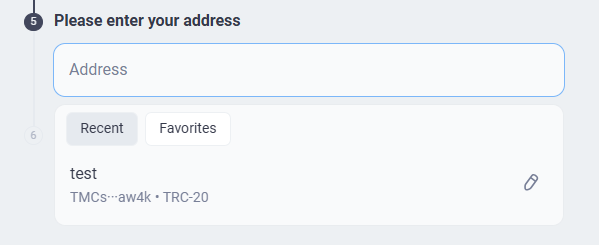
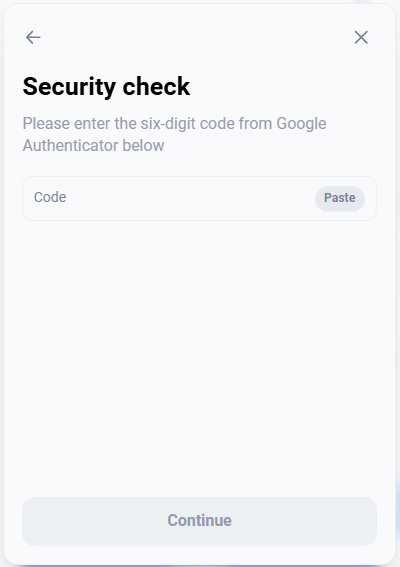
Withdrawals follow the same logic: select a coin → select a network → enter an external address → confirm with a 2FA code. Confirmation is required for every withdrawal using the method configured in your profile. The exchange charges the fixed withdrawal fee shown in the interface, plus the blockchain network fee.
Before confirming a withdrawal, compare the first and last four characters of the address. Malware can replace copied wallet addresses, so always verify the address after pasting it.
USDT code: transfer coins without blockchain
You can transfer USDT to another ABCEX user with a code, without sending the coins through the blockchain. It works like a RUB code:
- The sender creates a code indicating the amount.
- USDT is debited from the sender's account and temporarily held.
- The sender passes the code to the recipient.
- The recipient enters the code and receives USDT to their account.
The code is created during withdrawal and activated during deposit: select USDT in the Asset field and Code as the method. “RUB Deposits and Withdrawals” describes the same process step by step; for USDT, only the selected asset changes.
Copy and save the code immediately - after closing the window it will be impossible to view it again. Give the code only to the person for whom the money is intended: whoever activates it first will receive the amount.
A code transfer does not enter the blockchain, so you do not need to select a network, pay a network fee, or verify an address. ABCEX does not charge a fee for code transfers. The recipient must also be an ABCEX user.
Frequently asked questions
First, check the transaction in a blockchain explorer, such as tronscan.org for TRC-20. If the transaction is confirmed on the blockchain but the coins have not been credited, contact support and provide the transaction hash (TxID). The required number of confirmations depends on the network and the amount; the funds are credited automatically once that number is reached.
The withdrawal goes through several stages: checking limits, confirming security and processing in the blockchain. During peak network hours, transaction times may increase. If the output is frozen for more than 2 hours, contact support.
Only until the moment of broadcasting to the blockchain. If a transaction has already been sent to the network, it cannot be canceled. Therefore, always check the address and amount before confirming.
Yes, using a USDT code. The sender creates a code for the required amount and sends it to the recipient, who activates it. The operation does not enter the blockchain, so no network selection or network fee is required. It works like a RUB code.