

Quick Exchange
Exchange one asset for another in one click without using the order book or placing orders. It is the same spot market in a simpler interface.
What Quick Exchange Is
Quick Exchange is a simplified spot interface. There is no order book or order form: select the asset you are giving and the one you want to receive, review the rate, and exchange in one click.
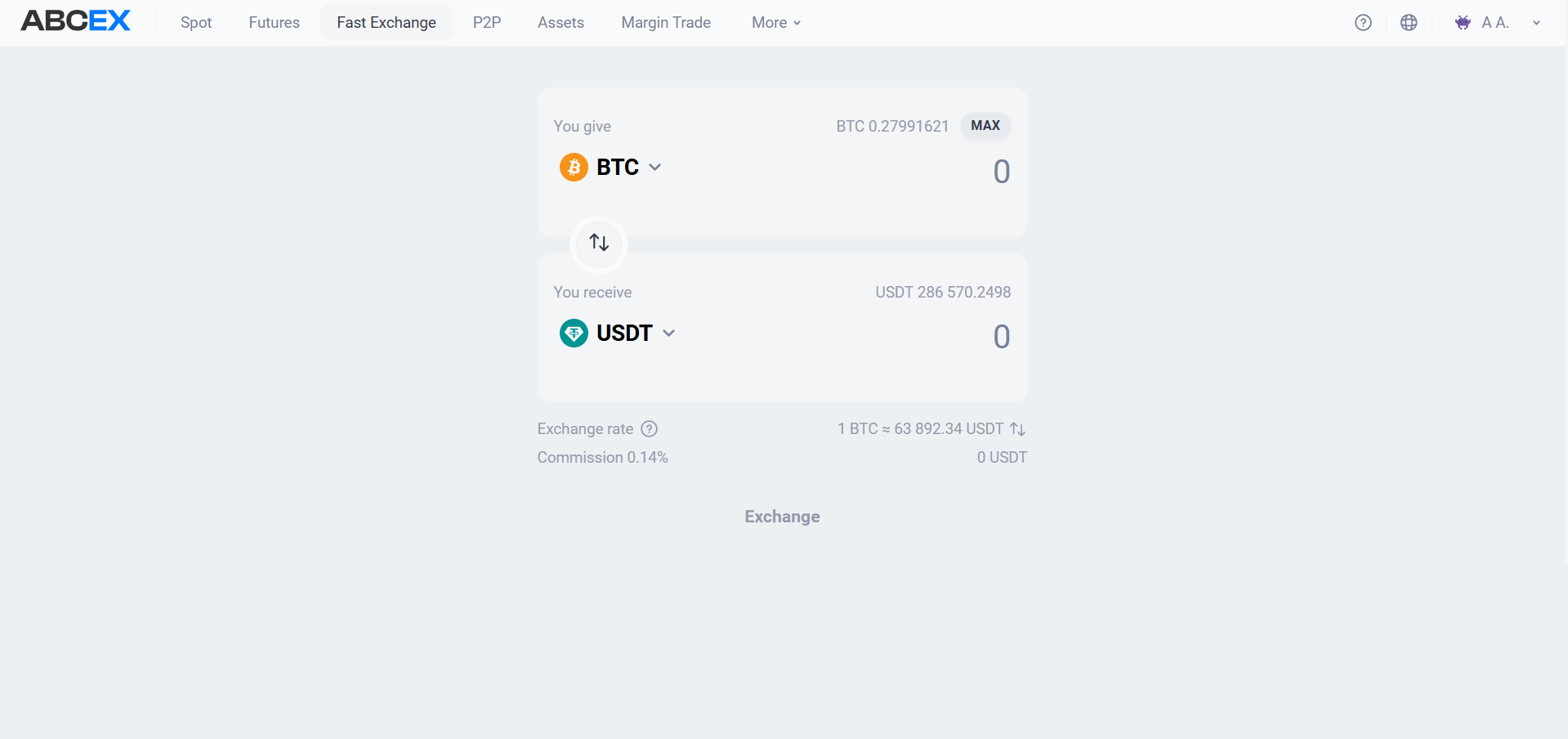
In essence, this is the same spot market, just without a terminal. Suitable when you just need to exchange an amount and don’t have to deal with charts.
How it works
- Executed as a market order — The exchange takes place on the market using the best available order book prices. For a large amount, the result may differ slightly from the displayed rate because of slippage.
- History - in spot - Exchanges do not live separately: they fall into the history of spot transactions, in the same place as regular transactions from the terminal.
- Fee — It is calculated according to the standard taker fee schedule because the order is a market order. Current rates are listed in “Trading Fees.”
How to exchange
- Open the "Quick Exchange" tab in the top menu.
- In the “You pay” field, select an asset and enter the amount. The “MAX” button fills in the entire available balance.
- In the "You receive" field, select the second asset - the amount will be calculated automatically. The arrows between fields switch directions.
- Check the exchange rate and fee shown below the form before confirmation.
- Click "Exchange".
Frequently asked questions
Only the interface differs. The exchange still executes a market order against the same order book and records it in the shared spot trade history. Quick Exchange simply removes the need to place an order or read the chart.
The exchange uses the best available market prices in the order book. If the amount is large, part of it may execute at less favorable prices. This is slippage. To set an exact price, use a limit order in the spot terminal.
In the history of spot transactions, there is no separate section for quick exchange; all transactions are stored together.